San Andreas: Howto "Adding Cars"
There are two ways to replace cars in San Andreas:
1. Add/Replace cars automatically by using the San Andreas Mod Installer V1.1 (Download)
San Andreas Mod Installer (SAMI) allows you to install mods and custom vehicles made for GTA San Andreas without having to edit the game files yourself. SAMI practically does all of the work for you, which makes mod installing (and uninstalling) very simple.

2. Add/Replace cars manually by using the IMG Tool 2.0 (Download)
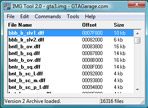
This Howto shows how to add or replace original cars with a new car which you have downloaded. To do that we are using the "IMG Tool".
You need:
Preparations:
- Download a favored car from our file database
- Copy the .dff and .txd files to your desktop or another accessible folder
- Open the readme file
Now we can start:
- Start IMG Tool
- File → Open → C:/Programs/Rockstar Games/GTA San Andreas/models/gta3.img
Find the files of the car you want to replace (example: Uranus):
- Press F2
- Enter Uranus
Backup these files:
- Right click on the marked files
- Extract to a preferred directory
Now you are ready to replace them:
- Mark uranus.dff → Right click → Replace → select new uranus.dff
- Mark uranus.txd → Right click → Replace → select new uranus.txd
By using this method you avoid a bug that appears when using "delete".
Fine-Tuning:
The car is in the game but further fine-tuning is needed. You need to replace certain lines in the data folder of GTA San Andreas. The readme file in the downloaded mod specifies which lines to replace (e.g., handling.cfg, carcols.dat, vehicles.ide).
Example entries from readme files:
- handling.cfg
URANUS 1400.0 2998.3 2.0 0.0 0.1 -0.3 75 0.80 0.85 0.47 5 200.0 20.0 5.0 R P 8.0 0.45 0 30.0 1.3 0.15 0.0 0.28 -0.10 0.5 0.3 0.25 0.60 35000 c0002800 4000001 1 1 0
- vehicles.ide
558, uranus, uranus, car, URANUS, URANUS, null, richfamily, 7, 0, 0, -1, 0.7, 0.7, 1
- carcols.dat
					0,56,53			# 114 torch red				green
					0,2,10			# 116 med.sapphire blue firemist	blue
					95,10,21		# 117 med.garnet red poly		red

					greenwoo, 116,116, 117,117, 114,114, 111,111, 125,125, 103,103, 100,100
- carmods.dat
uranus, nto_b_tw, spl_b_bab_m, spl_b_bbb_m, spl_b_mab_m, wg_l_b_ssk, spl_a_s_b, spl_c_s_b, spl_a_l_b, spl_c_l_b, spl_a_j_b, spl_c_j_b
Go to the GTA San Andreas installation folder → data folder → open the necessary files with a text editor, replace the required lines, save changes, and close. Done.