San Andreas / Tools / Tool lainnya
VtoSA V2 (GTA 5 to GTA SA Model and Texture Converter) for Windows
- alidl99 | di-upload oleh Alidl99
- 07/18/2026
- 986 Jumlah download
Rating:
Login dulu, ya.
Favorit:
Download
59.43Mb
59.43Mb
Videos
Belum ada video yang ditambahkan.Kamu harus login untuk menambahkan video ke mod ini.
Deskripsi
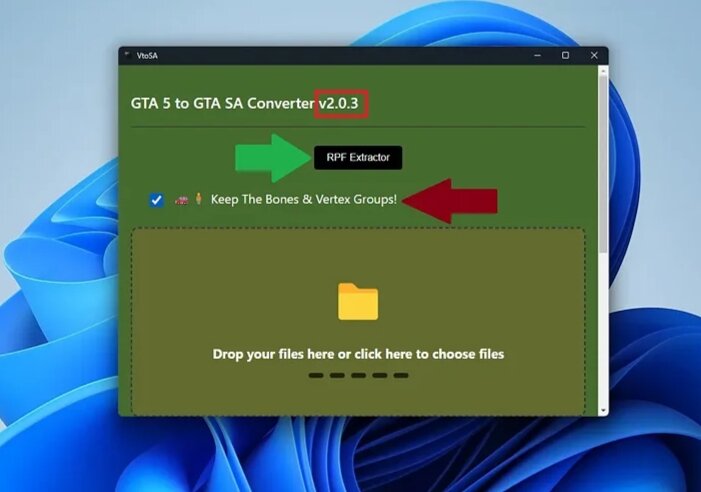
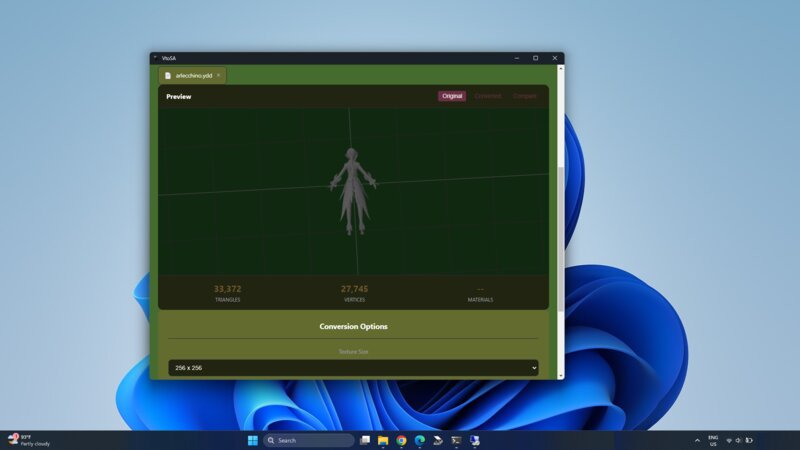
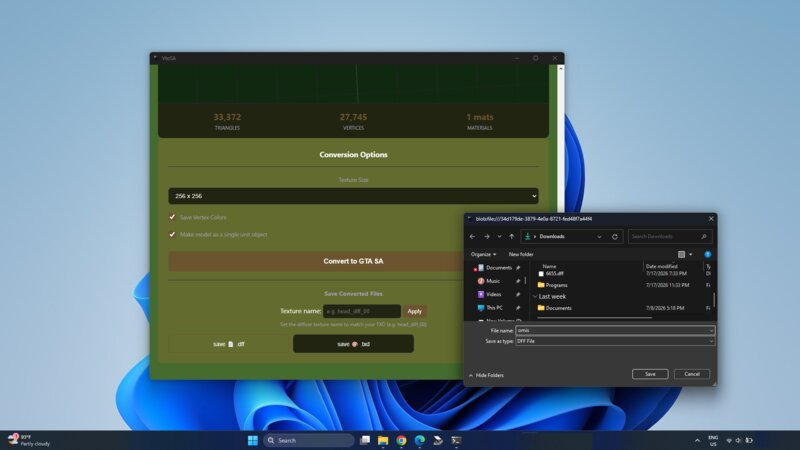
VtoSA V2 is an offline portable program for Windows ⊞ that allows direct conversion of YDD, YFT, YDR, and YTD files to DFF and TXD formats — the standard model and texture formats used in GTA San Andreas.
*This new version has a advanced convertor that can preserve bones and skeleton information.
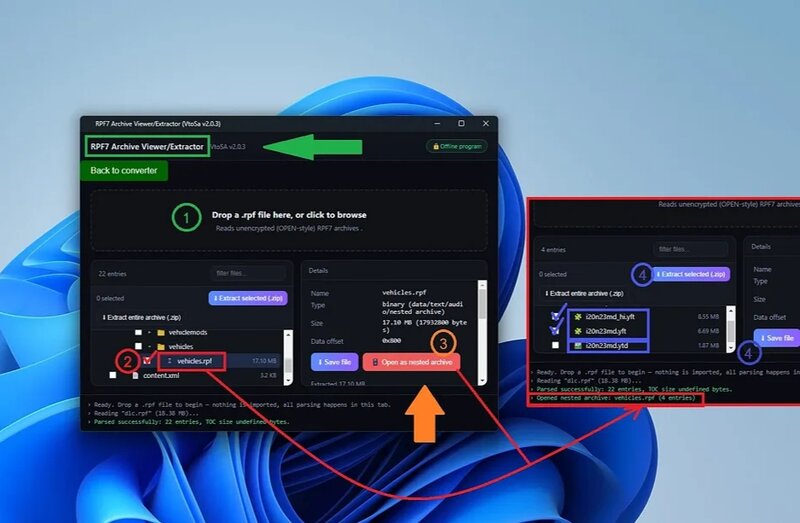
*there is a rpf extractor that help you to extract rpf files without using of OpenIV or codewalker.
*Additionally, the program can reduce the number of vertices and triangles in converted models, making them more suitable for the older RenderWare engine.
*For vehicles, do not active the "Make model as a single unit model" checkbox. This option will connect separate and loose parts together. This option is only suitable for objects.
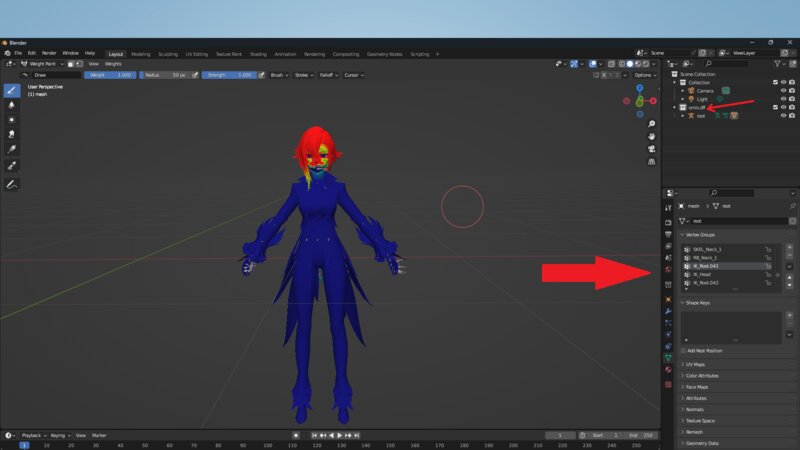
*Remember: You cannot directly import a converted dff file into GTA SA, because the converted dff file has a different skeleton than GTA SA, merge the skining data or in other words the weights data if needed and connect it to the new GTA SA armature.
You will almost always need 3D softwares like Blender or 3ds Max or ZModler2 to complete the process and create the final skin or vehicle.
You can only use direct import for objects that do not contain bones.
*This new version has a advanced convertor that can preserve bones and skeleton information.
*there is a rpf extractor that help you to extract rpf files without using of OpenIV or codewalker.
*Additionally, the program can reduce the number of vertices and triangles in converted models, making them more suitable for the older RenderWare engine.
*For vehicles, do not active the "Make model as a single unit model" checkbox. This option will connect separate and loose parts together. This option is only suitable for objects.
*Remember: You cannot directly import a converted dff file into GTA SA, because the converted dff file has a different skeleton than GTA SA, merge the skining data or in other words the weights data if needed and connect it to the new GTA SA armature.
You will almost always need 3D softwares like Blender or 3ds Max or ZModler2 to complete the process and create the final skin or vehicle.
You can only use direct import for objects that do not contain bones.
Komentar
Sudah ada 0 komentar.