San Andreas / Mod / Mod
Real Moon 3D - Beta 1.0
- LudovicoDev | di-upload oleh LudovicoDev
- youtube.com/channel/UCVkkyP...
- 07/18/2016
- 8546 Jumlah download
Rating:
Login dulu, ya.
Favorit:
Download
852.82Kb
852.82Kb
Videos

Kamu harus login untuk menambahkan video ke mod ini.
Deskripsi
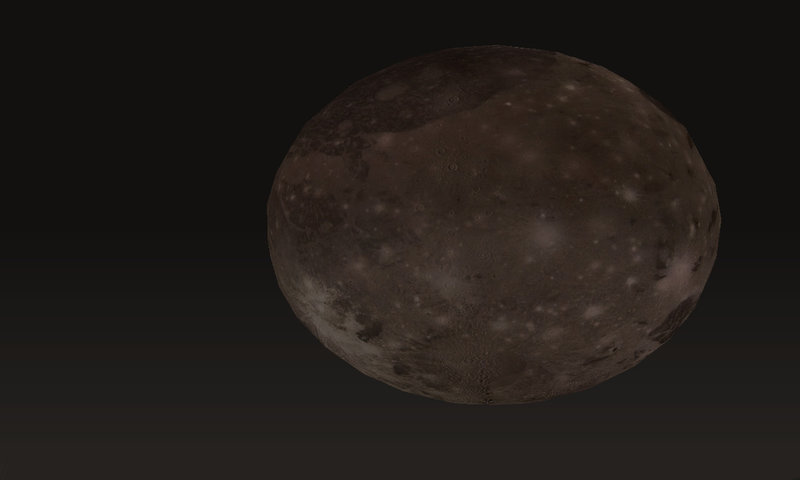
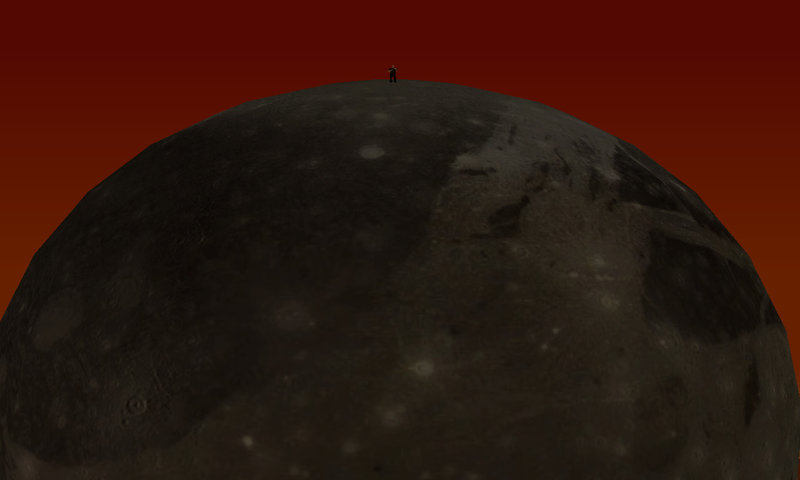
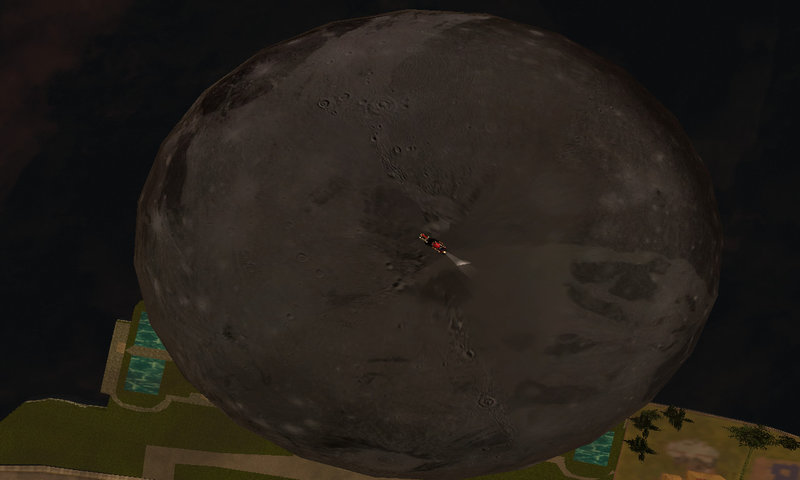
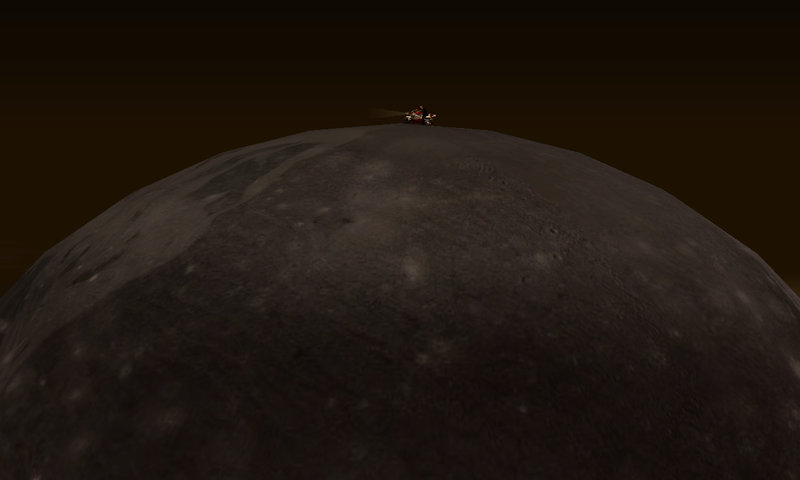
Hello Today I want to provide a small project that I created weeks ago out of sheer boredom, this mod adds to your gta sa a "planet" ball in your world. The texture is changing the planet will change, if you were first moon putting a texture of Mars ... Mars will become the model is not great because of the limit of 250 meters, when I have time I'm going to create more models together to create a planet very largest and explorable.
To install the mod will serve only three apps. Med "Map Editor" and "TxDWorkShop" and "ImgTool"
install .:
1) Open TXDWork.
2) Open File in Particle Models folder of your gta
3) Remove the coronamoon file, open gimp / photoshop the image is deleted, as long as there is an image with a transparent background and saved in .png.
4) Go back to TXDWork coronamoon and changed the image with the one just adapted.
"This is done to prevent you see two moons while playing"
5) Open ImgTool and imported the 3 files .dff .txd .col
6) Take a growing archive Rebuild through ImgTool
7) Open Med and go to add your model in different areas of the map, the height of the Z position I would advise you to place between 250 up to 270.
8) As it is a model implemented by moving the map to the model could disappear, so it would be useful to use a timecyc that increases the focal length varies map so you can see far away the model.
9) To make the most accurate possible model would be appropriate to put a timer object "or from what time to what time the object will appear" es: 19:00 p.m - 05 a.m
10) Save and wait and see a new moon.
Here I leave you the various images.
Thank you
To install the mod will serve only three apps. Med "Map Editor" and "TxDWorkShop" and "ImgTool"
install .:
1) Open TXDWork.
2) Open File in Particle Models folder of your gta
3) Remove the coronamoon file, open gimp / photoshop the image is deleted, as long as there is an image with a transparent background and saved in .png.
4) Go back to TXDWork coronamoon and changed the image with the one just adapted.
"This is done to prevent you see two moons while playing"
5) Open ImgTool and imported the 3 files .dff .txd .col
6) Take a growing archive Rebuild through ImgTool
7) Open Med and go to add your model in different areas of the map, the height of the Z position I would advise you to place between 250 up to 270.
8) As it is a model implemented by moving the map to the model could disappear, so it would be useful to use a timecyc that increases the focal length varies map so you can see far away the model.
9) To make the most accurate possible model would be appropriate to put a timer object "or from what time to what time the object will appear" es: 19:00 p.m - 05 a.m
10) Save and wait and see a new moon.
Here I leave you the various images.
Thank you
Komentar
Sudah ada 13 komentar.





07/19/2016 22:46
Hello, sure that this can be done, it is the project I have in mind, but I would need a scripter for the different gravity and a 3D modelator to the ground
Kutip | Balas | (2)
Quote: diegoforfun
Good job , man!
I once tried to add a "full planet' or "moon" to SA but i gave up.
I thought about a giant 3d sphere model but i couldn't get it working because of the limited dimensions in SA. So after that the only way i imagine to get it working would be making a superficie terrain but never tried it :/Hope you get it
Hello, sure that this can be done, it is the project I have in mind, but I would need a scripter for the different gravity and a 3D modelator to the ground
Kutip | Balas | (2)
07/19/2016 21:39
Good job , man!
I once tried to add a "full planet' or "moon" to SA but i gave up.
I thought about a giant 3d sphere model but i couldn't get it working because of the limited dimensions in SA. So after that the only way i imagine to get it working would be making a superficie terrain but never tried it :/Hope you get it
Kutip | Balas | (1)
Good job , man!
I once tried to add a "full planet' or "moon" to SA but i gave up.
I thought about a giant 3d sphere model but i couldn't get it working because of the limited dimensions in SA. So after that the only way i imagine to get it working would be making a superficie terrain but never tried it :/Hope you get it
Kutip | Balas | (1)
07/19/2016 16:57
Instead, I believe that if you create an inner soon as you touch the moon, and a cleo active in that span of coordinates perhaps there is hope: D
Ok for now I'm working on other projects
ty for your interesting :D:bye
Kutip | Balas | (0)
Quote: KeeJay13
@LudovicoDev I'm pretty sure it's not possible though. Gravity in SA works only down, to the bottom of map.
Instead, I believe that if you create an inner soon as you touch the moon, and a cleo active in that span of coordinates perhaps there is hope: D
Ok for now I'm working on other projects
ty for your interesting :D:bye
Kutip | Balas | (0)

07/19/2016 13:17
To install the mod you have to have IMG TOOL, MeD, and TXD WORKSHOP with ImgTool amounts the 3 files. With TxD WorkShop make the particle.txd invisibibile moon. And With Med go to anywhere you want to insert the object in the map.
Kutip | Balas | (0)
Quote: Thegangstaplayer
i didn't install it yet but 10/10 so when is night time the moon glows or is a just a plain black circle in the sky?
To install the mod you have to have IMG TOOL, MeD, and TXD WORKSHOP with ImgTool amounts the 3 files. With TxD WorkShop make the particle.txd invisibibile moon. And With Med go to anywhere you want to insert the object in the map.
Kutip | Balas | (0)