San Andreas / Mod / Mod CLEO
Better Flight Control
- CatchyKetchup | di-upload oleh CatchyKetchup
- gtainside.com/user/CatchyKe...
- 07/21/2026
- 848 Jumlah download
Rating:
Login dulu, ya.
Favorit:
Videos
Belum ada video yang ditambahkan.Kamu harus login untuk menambahkan video ke mod ini.
Deskripsi
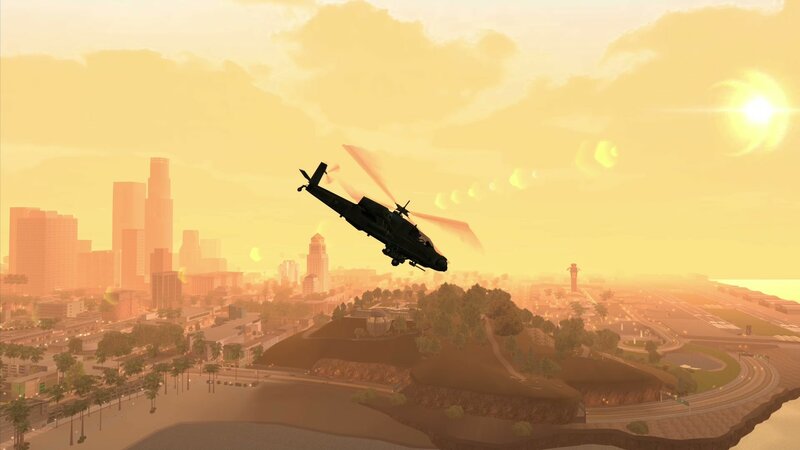
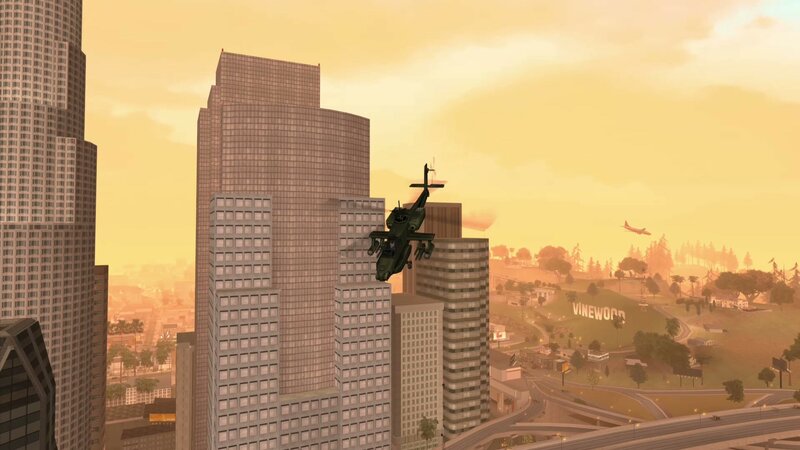
- Flying can be a pain in this game. You're forced to use both hands on the keyboard, leaving you unable to control the camera.
- Helicopter handling is especially frustrating. In most helicopters, you have to constantly adjust the pitch just to keep flying forward.
- This mod aims to make flying as easy as driving, freeing up your right hand to rotate the camera.
- Just press the 'handbrake' key. With the default game controls, this is the 'Space' key on the keyboard or 'R1' on a gamepad.
- In helicopters:
- Hold it together with the 'Accelerate' button, and the helicopter's nose will tilt down only as much as needed to fly forward while maintaining roughly the same altitude.
- Hold it together with the 'Brake' button, and the nose will tilt up just enough to slow the helicopter down without causing it to loop.
- Press it by itself to tilt the nose down and descend.
- In planes:
- With the 'Accelerate' button: Nose Up
- Alone or with the 'Brake' button: Nose Down
---- REQUIREMENTS:
- Essentials Pack
- https://www.mixmods.com.br/2019/06/sa-essentials-pack
- CLEO 4.4.4 or newer (already included in Essentials Pack)
- CLEO+ v1.2.0 or newer (a plugin for CLEO, already included in Essentials Pack)
- https://www.mixmods.com.br/2023/10/cleoplus
---- INSTRUCTIONS:
- Place the folder "Better Flight Control" in your modloader directory.
---- PERMISSIONS:
- You are allowed to share and edit this mod. Please keep my name credited.
Author: CatchyKetchup
Special thanks to vladvo for help with memory addresses
- Helicopter handling is especially frustrating. In most helicopters, you have to constantly adjust the pitch just to keep flying forward.
- This mod aims to make flying as easy as driving, freeing up your right hand to rotate the camera.
- Just press the 'handbrake' key. With the default game controls, this is the 'Space' key on the keyboard or 'R1' on a gamepad.
- In helicopters:
- Hold it together with the 'Accelerate' button, and the helicopter's nose will tilt down only as much as needed to fly forward while maintaining roughly the same altitude.
- Hold it together with the 'Brake' button, and the nose will tilt up just enough to slow the helicopter down without causing it to loop.
- Press it by itself to tilt the nose down and descend.
- In planes:
- With the 'Accelerate' button: Nose Up
- Alone or with the 'Brake' button: Nose Down
---- REQUIREMENTS:
- Essentials Pack
- https://www.mixmods.com.br/2019/06/sa-essentials-pack
- CLEO 4.4.4 or newer (already included in Essentials Pack)
- CLEO+ v1.2.0 or newer (a plugin for CLEO, already included in Essentials Pack)
- https://www.mixmods.com.br/2023/10/cleoplus
---- INSTRUCTIONS:
- Place the folder "Better Flight Control" in your modloader directory.
---- PERMISSIONS:
- You are allowed to share and edit this mod. Please keep my name credited.
Author: CatchyKetchup
Special thanks to vladvo for help with memory addresses
Komentar
Sudah ada 1 komentar.