San Andreas / Mobil / Chevrolet
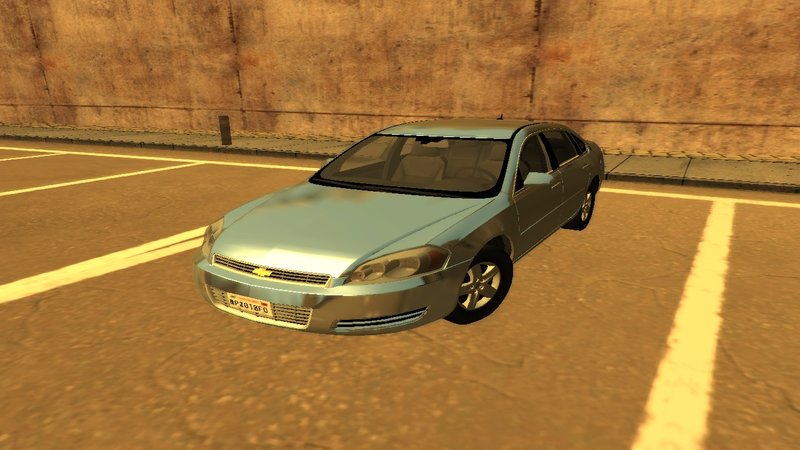
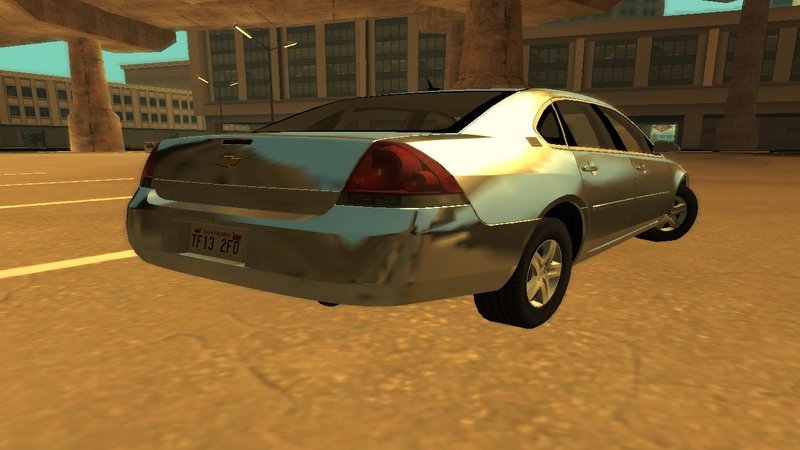
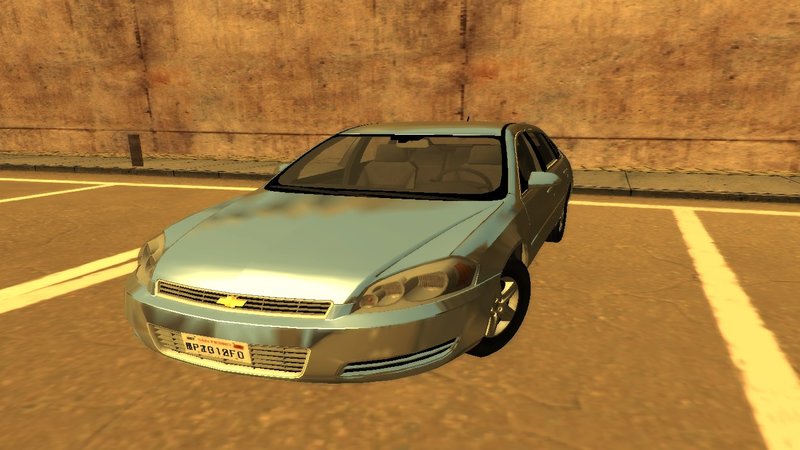
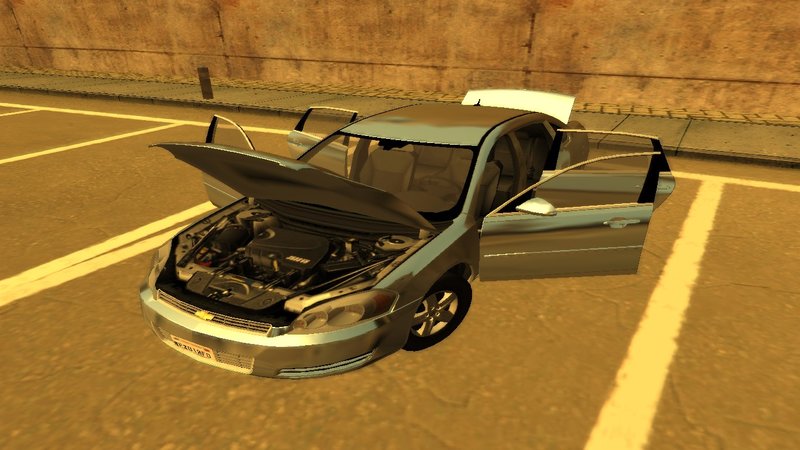
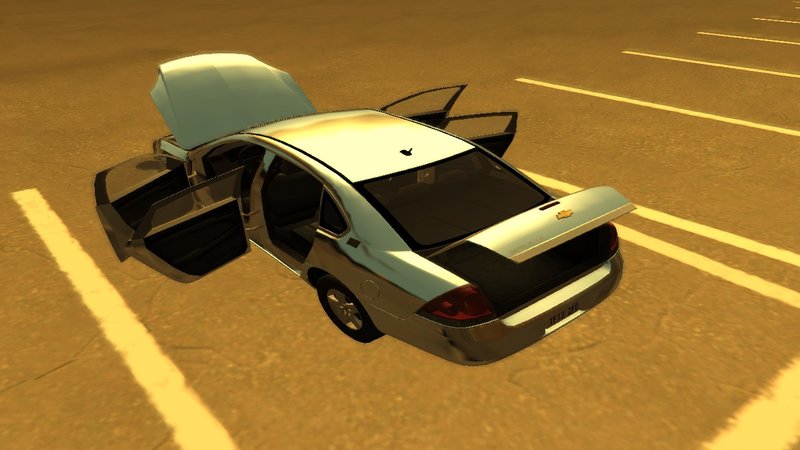
Chevrolet Impala LS 2006
- MaxPayne.2019 | di-upload oleh MaxPayne.2019
- 01/18/2020
- 11943 Jumlah download
Rating:
Login dulu, ya.
Favorit:
Download
2.02Mb
2.02Mb
Video
Belum ada video yang ditambahkan.Kamu harus login untuk menambahkan video ke mod ini.
Deskripsi
English
Original Model: Driver San Francisco
Converted to GTASA: MaxPayne.2019
vehicle converted from Driver San Francisco to GTASA
Model Features:
-The car fits perfectly into the atmosphere of the game
-Supports all the main functions of the game
-Damage to all parts of the vehicle
- HQ front and rear lights
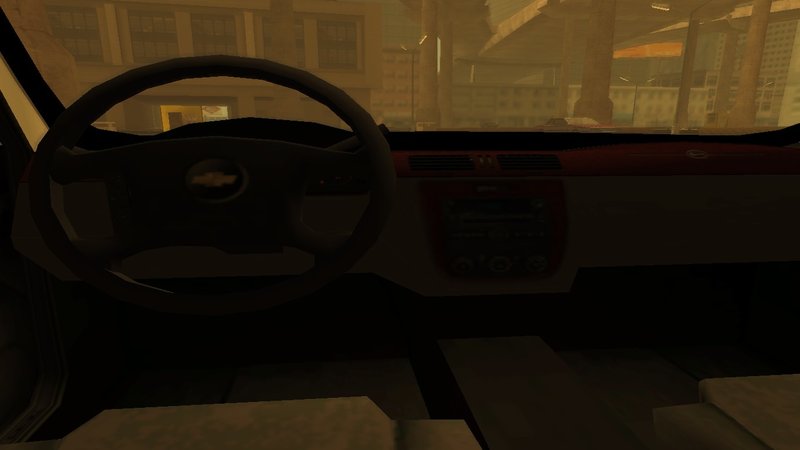
-interior in lowpoly
-Works well with SkyGfx
-Good Texture
-replace primo
-read the readme.txt in the folder
Português
Modelo original: Driver San Francisco
Convertido em GTASA: MaxPayne.2019
veículo convertido de Driver San Francisco para GTASA
Características do modelo:
-O carro se encaixa perfeitamente na atmosfera do jogo
-Suporta todas as principais funções do jogo
-Dano a todas as partes do veículo
- luzes dianteiras e traseiras HQ
-interior em lowpoly
-Funciona bem com o SkyGfx
-Boa textura
-replace primo
-leia o readme.txt na pasta
Original Model: Driver San Francisco
Converted to GTASA: MaxPayne.2019
vehicle converted from Driver San Francisco to GTASA
Model Features:
-The car fits perfectly into the atmosphere of the game
-Supports all the main functions of the game
-Damage to all parts of the vehicle
- HQ front and rear lights
-interior in lowpoly
-Works well with SkyGfx
-Good Texture
-replace primo
-read the readme.txt in the folder
Português
Modelo original: Driver San Francisco
Convertido em GTASA: MaxPayne.2019
veículo convertido de Driver San Francisco para GTASA
Características do modelo:
-O carro se encaixa perfeitamente na atmosfera do jogo
-Suporta todas as principais funções do jogo
-Dano a todas as partes do veículo
- luzes dianteiras e traseiras HQ
-interior em lowpoly
-Funciona bem com o SkyGfx
-Boa textura
-replace primo
-leia o readme.txt na pasta
Komentar
Sudah ada 3 komentar.


01/20/2020 02:16
@benitocala
enter your SkyGfx folder inside it will have 3 ini (skygfx1.ini PS2, skygfx2.ini PC, skygfx3.ini Mobile) I use SkyGfx1.ini.
open the ini search for vehiclePipe =
in this line you can write PS2, mobile, xbox, PC, Env, Spec.
mine and so vehiclePipe = mobile
zwriteThreshold = 200
envMapSize = 64
radiosity = PS2
pedShadows = 1
stencilShadows = 1
these are my settings on SkyGfx1.ini.
Kutip | Balas | (1)
@benitocala
enter your SkyGfx folder inside it will have 3 ini (skygfx1.ini PS2, skygfx2.ini PC, skygfx3.ini Mobile) I use SkyGfx1.ini.
open the ini search for vehiclePipe =
in this line you can write PS2, mobile, xbox, PC, Env, Spec.
mine and so vehiclePipe = mobile
zwriteThreshold = 200
envMapSize = 64
radiosity = PS2
pedShadows = 1
stencilShadows = 1
these are my settings on SkyGfx1.ini.
Kutip | Balas | (1)