San Andreas / Pesawat
GTA V Cargo Plane
- SergeDV, Liimert | di-upload oleh SergeDV
- 12/05/2015
- 70026 Jumlah download
Rating:
Login dulu, ya.
Favorit:
Videos

Kamu harus login untuk menambahkan video ke mod ini.
Deskripsi
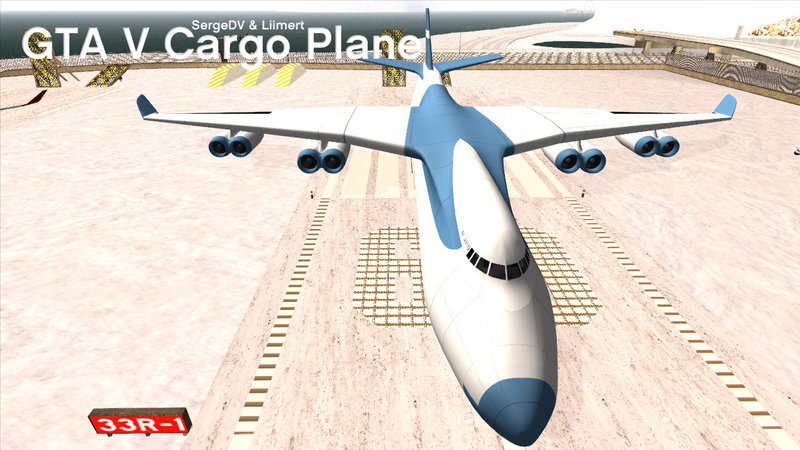
Cargo Plane is a large military 8-engine cargo aircraft.
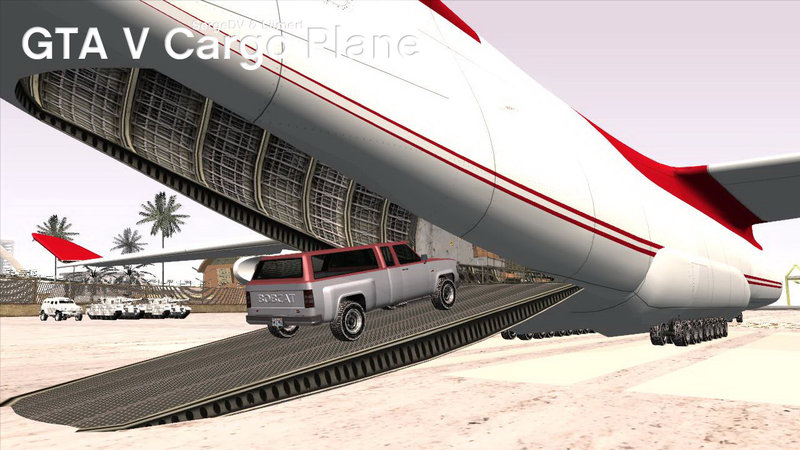
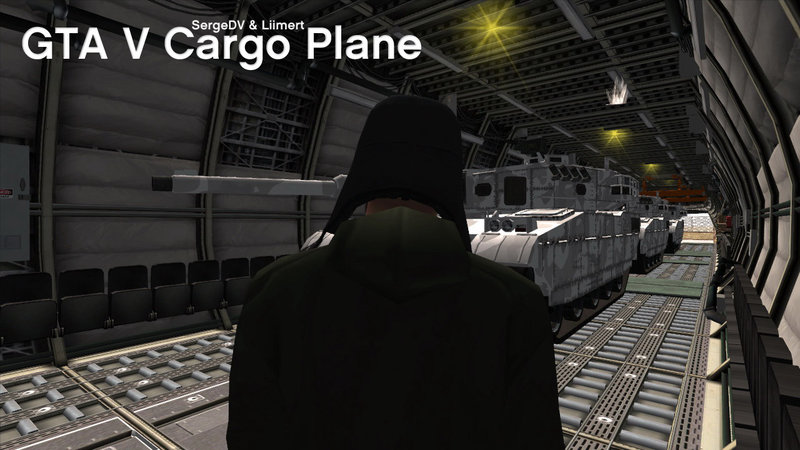
You can ferry 4 Rhino tanks, 69 bicycles and 365 kittens inside the plane :)
- Replaces Andromada;
- Multicomponent LOD (vlo);
- Custom Collision and Shadow;
- CLEO script for correct seat.
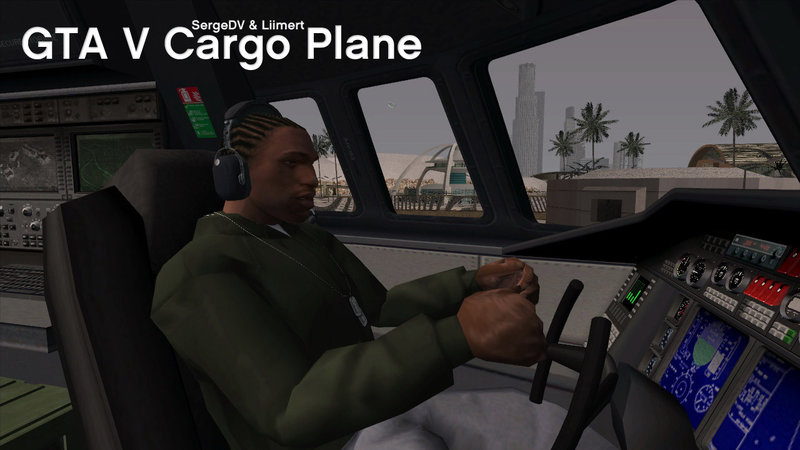
Bonus! Aviation headset+script and Winter hat.
Script version:
For driving press [Sprint]*+[Enter]* near pilot's seat inside cockpit (left place).
*standard [Space]+[F]
Standard version:
Go to nose of the plane near the left side door and press standard key [Enter] or [F].
FIX standard version of the model (add lost LOD).
You can ferry 4 Rhino tanks, 69 bicycles and 365 kittens inside the plane :)
- Replaces Andromada;
- Multicomponent LOD (vlo);
- Custom Collision and Shadow;
- CLEO script for correct seat.
Bonus! Aviation headset+script and Winter hat.
Script version:
For driving press [Sprint]*+[Enter]* near pilot's seat inside cockpit (left place).
*standard [Space]+[F]
Standard version:
Go to nose of the plane near the left side door and press standard key [Enter] or [F].
FIX standard version of the model (add lost LOD).
Komentar
Sudah ada 92 komentar.

12/26/2022 20:41
@SergeDV thank you for replying, maybe you could upload it to gtaall with automatic installer (make 2 automatic installers for each version, scripted and not scripted)
https://www.gtaall.net/gta-san-andreas/planes/71287-gta-5-cargo-plane.html
This one does not specify if it's scripted version or not scripted version
Kutip | Balas | (0)
@SergeDV thank you for replying, maybe you could upload it to gtaall with automatic installer (make 2 automatic installers for each version, scripted and not scripted)
https://www.gtaall.net/gta-san-andreas/planes/71287-gta-5-cargo-plane.html
This one does not specify if it's scripted version or not scripted version
Kutip | Balas | (0)





09/28/2021 12:21
@IAmYourError
/from the ReadMe.txt in the archive, section INSTALLATION/
1. Open carcols.dat file (in "data" folder) with any NotePad
2. Find the line "androm, 1,1" // in ABC order
3. Change for line of the ReadMe (4 color sets)
androm, 14,103, 14,14, 14,100, 14,3
P.S. 1,1 = white color for primary and secondary colors (default)
P.P.S. Also you can make *.txt file with settings if you use ModLoader. Put the file with androm.dff and androm.txd files in one subfolder
Kutip | Balas | (0)
@IAmYourError
/from the ReadMe.txt in the archive, section INSTALLATION/
1. Open carcols.dat file (in "data" folder) with any NotePad
2. Find the line "androm, 1,1" // in ABC order
3. Change for line of the ReadMe (4 color sets)
androm, 14,103, 14,14, 14,100, 14,3
P.S. 1,1 = white color for primary and secondary colors (default)
P.P.S. Also you can make *.txt file with settings if you use ModLoader. Put the file with androm.dff and androm.txd files in one subfolder
Kutip | Balas | (0)
04/02/2021 16:18
@GTA61 How this bug works?
I never have the "bug" with saving game photos and replaced models...
Maybe the problem is in your game version, a Mod Loader version or there're conflicts with other installed mods... variants of the game bug can be many.
Try to install the mod without Mod Loader.
Kutip | Balas | (0)
@GTA61 How this bug works?
I never have the "bug" with saving game photos and replaced models...
Maybe the problem is in your game version, a Mod Loader version or there're conflicts with other installed mods... variants of the game bug can be many.
Try to install the mod without Mod Loader.
Kutip | Balas | (0)






07/11/2018 15:12
@OtakuDelta141
1 - textures - androm.txd from "TXD standard"
2 - script model - androm.dff from "DFF with SCRIPT"
3 - script - enterplaneC.S..cs from "CLEO" (tested on CLEO 4.3)
4 - replace 1 line in vehicles.ide (for script working)
5 - replace 2 lines in handling.cfg (for script working)
6 - replace line in carcols.dat (plane colors)
Run the game, find or spawn the plane, go up to the door, move up the stairs into the cockpit, stand between seats and then click 2 keys: Space + F (default settings)
You can't sit down most likely if you use CLEO 4.1 or don't replace line/s in vehicles.ide, handling.cfg.
You can use usual version - without cleo script. So you must use model - androm.dff from "DFF WITHOUT script".
You stand near front wheel (don't inside the plane) and click standard key F to enter
Kutip | Balas | (1)
@OtakuDelta141
1 - textures - androm.txd from "TXD standard"
2 - script model - androm.dff from "DFF with SCRIPT"
3 - script - enterplaneC.S..cs from "CLEO" (tested on CLEO 4.3)
4 - replace 1 line in vehicles.ide (for script working)
5 - replace 2 lines in handling.cfg (for script working)
6 - replace line in carcols.dat (plane colors)
Run the game, find or spawn the plane, go up to the door, move up the stairs into the cockpit, stand between seats and then click 2 keys: Space + F (default settings)
You can't sit down most likely if you use CLEO 4.1 or don't replace line/s in vehicles.ide, handling.cfg.
You can use usual version - without cleo script. So you must use model - androm.dff from "DFF WITHOUT script".
You stand near front wheel (don't inside the plane) and click standard key F to enter
Kutip | Balas | (1)

03/15/2018 16:44
best thing is, there are features that are not in GTA V !
--Cockpit can be easily accesed, in GTA V you can reach cockpit only with trainer
--Interior can be easily accesed too, in GTA V, you must glitch to interior
--And the main thing is, you can open and close backdoor like you want ! You cant do this in GTA V.
Conclusion : AWESOME WORK GUYS !!! 11/10
Kutip | Balas | (1)
best thing is, there are features that are not in GTA V !
--Cockpit can be easily accesed, in GTA V you can reach cockpit only with trainer
--Interior can be easily accesed too, in GTA V, you must glitch to interior
--And the main thing is, you can open and close backdoor like you want ! You cant do this in GTA V.
Conclusion : AWESOME WORK GUYS !!! 11/10
Kutip | Balas | (1)







03/14/2016 15:13
Crash after installation of the plane?
Try again if you want because we tested this plane in clear game on low PCs also (several variants of installation, 2 versions of CLEO 4).
Kutip | Balas | (1)
Quote: jpbuquid
this makes my game crash, but don't worry, i have a backup :) 9/10 for your effort <3
Crash after installation of the plane?
Try again if you want because we tested this plane in clear game on low PCs also (several variants of installation, 2 versions of CLEO 4).
Kutip | Balas | (1)