GTA V / Mod / Grafis
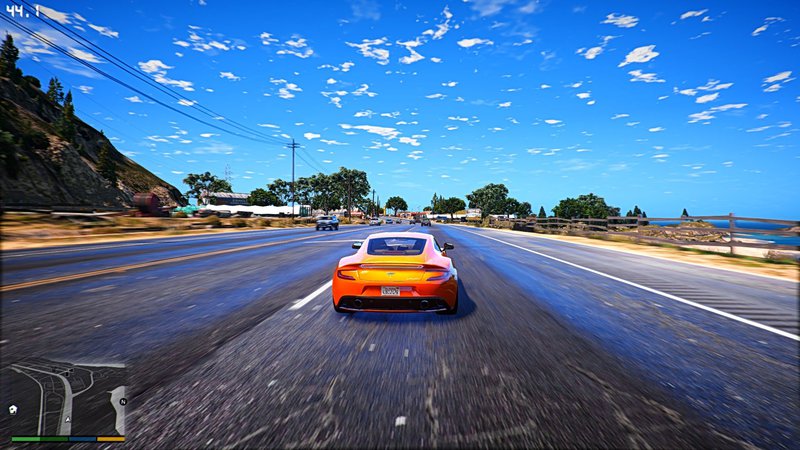
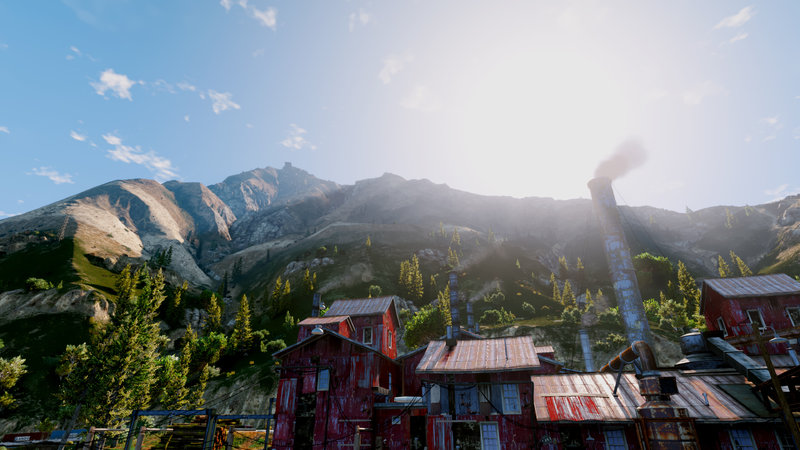
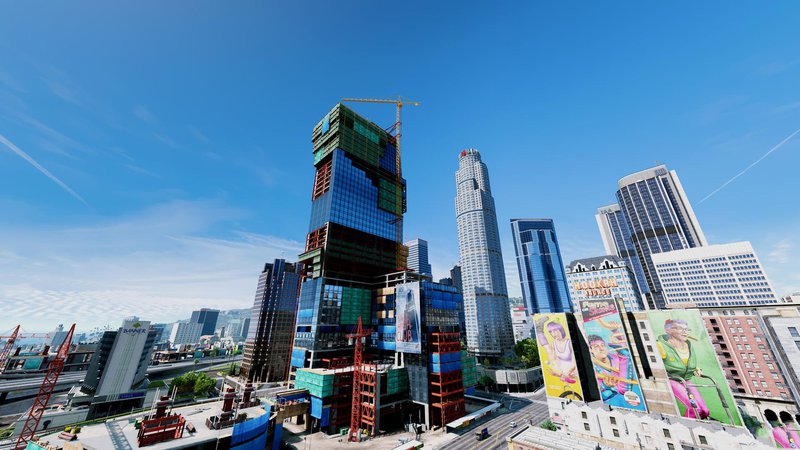
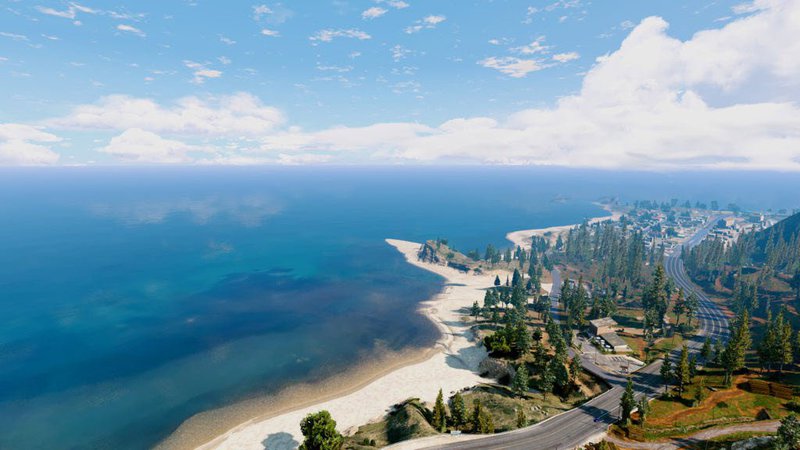
Ultra Realistic Graphics 2017
- jerry
- gtainside.com/en/gta5/mods-...
- 11/23/2016
- 69518 Jumlah download
Rating:
Login dulu, ya.
Favorit:
Videos

Kamu harus login untuk menambahkan video ke mod ini.
Deskripsi
Ultra Realistic Graphics
REDUX Mod
REDUX Mod
Komentar
Sudah ada 13 komentar.












01/25/2017 08:12
Installation REDUX ORIGINAL + MOD Ultra Realistic Graphics 2017
Set the first original GTA (pirates)
Locate the folder of the established game and log into it.
Create a folder "mods" in the root folder with the game (without the quotation marks ""), copy the necessary files (look for instructions on the official site of REDUX)
then set OpenIV program, open it> select GTA 5 > will be set in the program directory of GTA 5 installed on your hard drive (where GTA 5.exe)
The program OpenIV open menu "ASI Manager" set all ASI plugins, all of 3
The program, open OpenIV menu "Paket Installer" through the program are 2 files REDUX original fashion, that you have downloaded to your computer, install it (installation exe specify the game directory. / REDUX instructions are looking at the official website)
Install a genuine fashion REDUX + REDUX PACH DAY1
Install Script Hook in the root folder of the game (3 files copy a file from the folder "bin" the downloaded archive into the folder where the exe. File)
In REDUX original archive is a folder with the effects (15 effects to choose / I use the POV style)
NOTE that all worked do everything in order:
1. copied to the root folder of the game all the files from the folder 8.Redux Ultra V2 with ReShade folder, replace some of the files if necessary,
then delete ONLY ReShade folder from the root folder
2. copied to the root folder of the game all the files from the folder 7.Redux Ultra V1 with ReShade folder, replace all files
3. again copied to the root folder of the game all the files from the folder 8.Redux Ultra V2 with ReShade folder, replace all files
Everything should work, but I have the game crash and flew, downloaded the file "gameconfig.xml" on YouTube (GTA 5 Redux Mod WITH ADD ON CARS + CRASH FIX)
and it worked file "gameconfig.xml" which alone it is copied to the folder "mods" through the program OpenIV
I do not remember exactly, but play around with these files, if not work then change their positions (search online directory where these files to replace them)
If you want to change to a different effect then follow the instructions:
4. then copy the root folder of the game all the files from anywhere in the effects folder of your choice (there are only 15 / I use the POV style) replace all files
!! Remember that before you change to a different effect, you should always remove ONLY ReShade folder from the root folder and replace all the files on the new
--------------------------------------------------------
Installation Ultra Realistic Graphics 2017
Download the archive fashion Ultra Realistic Graphics 2017, extract it to any location on your computer
Replace all the files in the folder "mods" game through OpenIV program, be sure to click on the "Edit" where the address bar in a program
replace files using drag and drop, directory file locations (guided by the names of the downloaded archive folders):
GTAV mods update update.rpf common data .......
GTAV mods x64a.rpf textures........
GTAV mods x64b.rpf levels gta5 cloudhats........
You go to these addresses through a program OpenIV and replace each file from the downloaded archive Ultra Realistic Graphics 2017, good luck!
If you did everything correctly, it should work, I work with a bang!
Kutip | Balas | (0)
Installation REDUX ORIGINAL + MOD Ultra Realistic Graphics 2017
Set the first original GTA (pirates)
Locate the folder of the established game and log into it.
Create a folder "mods" in the root folder with the game (without the quotation marks ""), copy the necessary files (look for instructions on the official site of REDUX)
then set OpenIV program, open it> select GTA 5 > will be set in the program directory of GTA 5 installed on your hard drive (where GTA 5.exe)
The program OpenIV open menu "ASI Manager" set all ASI plugins, all of 3
The program, open OpenIV menu "Paket Installer" through the program are 2 files REDUX original fashion, that you have downloaded to your computer, install it (installation exe specify the game directory. / REDUX instructions are looking at the official website)
Install a genuine fashion REDUX + REDUX PACH DAY1
Install Script Hook in the root folder of the game (3 files copy a file from the folder "bin" the downloaded archive into the folder where the exe. File)
In REDUX original archive is a folder with the effects (15 effects to choose / I use the POV style)
NOTE that all worked do everything in order:
1. copied to the root folder of the game all the files from the folder 8.Redux Ultra V2 with ReShade folder, replace some of the files if necessary,
then delete ONLY ReShade folder from the root folder
2. copied to the root folder of the game all the files from the folder 7.Redux Ultra V1 with ReShade folder, replace all files
3. again copied to the root folder of the game all the files from the folder 8.Redux Ultra V2 with ReShade folder, replace all files
Everything should work, but I have the game crash and flew, downloaded the file "gameconfig.xml" on YouTube (GTA 5 Redux Mod WITH ADD ON CARS + CRASH FIX)
and it worked file "gameconfig.xml" which alone it is copied to the folder "mods" through the program OpenIV
I do not remember exactly, but play around with these files, if not work then change their positions (search online directory where these files to replace them)
If you want to change to a different effect then follow the instructions:
4. then copy the root folder of the game all the files from anywhere in the effects folder of your choice (there are only 15 / I use the POV style) replace all files
!! Remember that before you change to a different effect, you should always remove ONLY ReShade folder from the root folder and replace all the files on the new
--------------------------------------------------------
Installation Ultra Realistic Graphics 2017
Download the archive fashion Ultra Realistic Graphics 2017, extract it to any location on your computer
Replace all the files in the folder "mods" game through OpenIV program, be sure to click on the "Edit" where the address bar in a program
replace files using drag and drop, directory file locations (guided by the names of the downloaded archive folders):
GTAV mods update update.rpf common data .......
GTAV mods x64a.rpf textures........
GTAV mods x64b.rpf levels gta5 cloudhats........
You go to these addresses through a program OpenIV and replace each file from the downloaded archive Ultra Realistic Graphics 2017, good luck!
If you did everything correctly, it should work, I work with a bang!
Kutip | Balas | (0)