Pilihan tim
GTA V / Mobil / Lexus
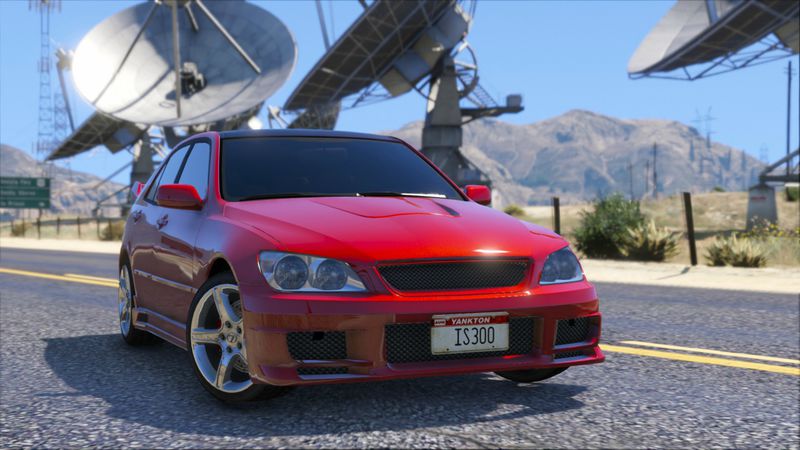
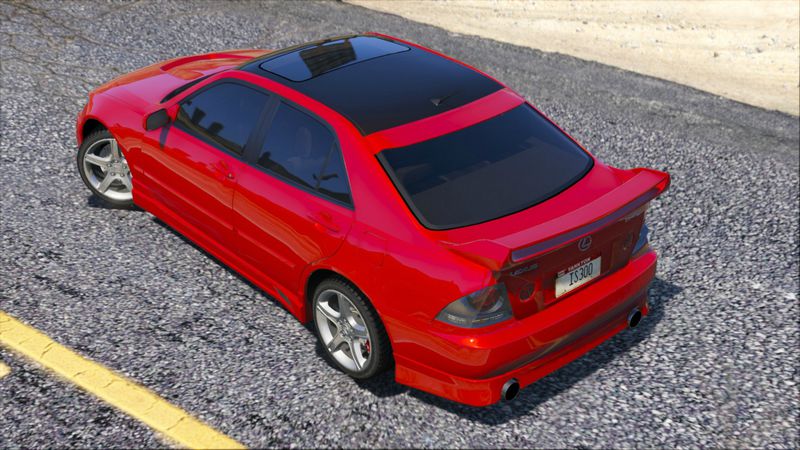
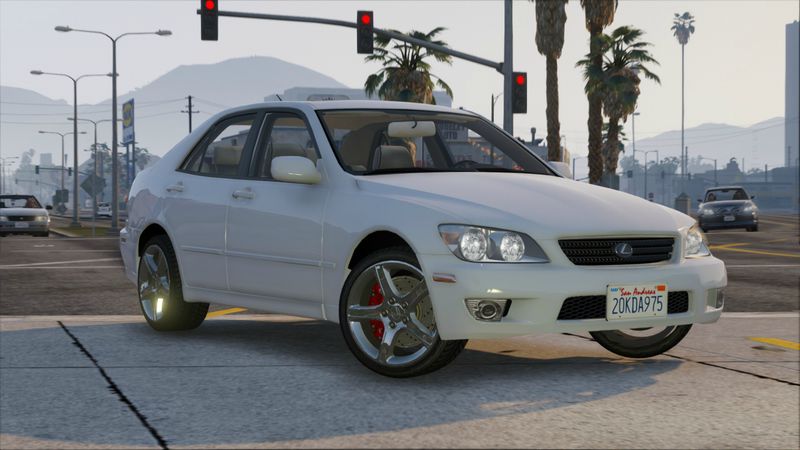
Lexus IS300 Tunable
- 9lXA | di-upload oleh 9lXA
- gtavmods.ru
- 08/18/2015
- 17609 Jumlah download
Rating:
Login dulu, ya.
Favorit:
Video


Kamu harus login untuk menambahkan video ke mod ini.
Deskripsi
Model: Juiced 2
Convert to GTA 5: 9lXA
thanks to:
- Oleg - for Zmodeler3, for help
- Mast - for TRD lip
- _Vlad_ aka Desmond98, Mr Datsun - for help
Features:
-full tunable, replaced all tuning parts
-working lights
-no tint on lights glass
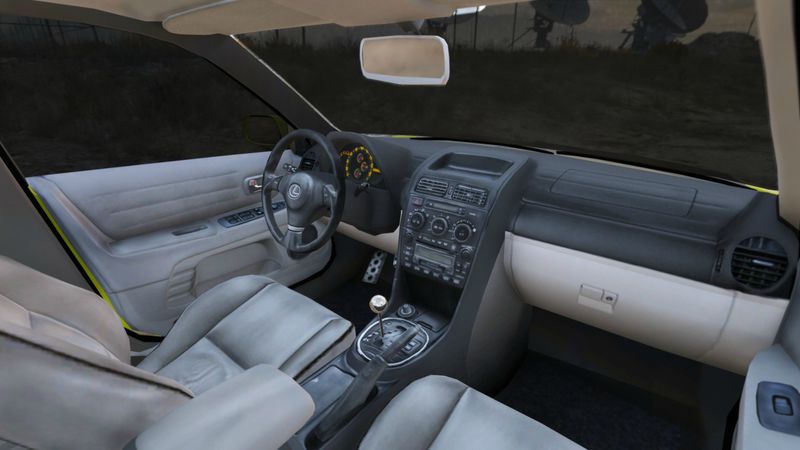
-working steering wheel, correct person position
-2 extras
Bugs:
-game crash if glass are broken (Use Vehicle God Mode for fix it)
-no LODs
-not correct collision
-no dirt
-no handling settings
-trouble with changing rear bumpers (i fix it attached bumpers to exhausts)
-white light of indicators
-dash of buffalo2
Convert to GTA 5: 9lXA
thanks to:
- Oleg - for Zmodeler3, for help
- Mast - for TRD lip
- _Vlad_ aka Desmond98, Mr Datsun - for help
Features:
-full tunable, replaced all tuning parts
-working lights
-no tint on lights glass
-working steering wheel, correct person position
-2 extras
Bugs:
-game crash if glass are broken (Use Vehicle God Mode for fix it)
-no LODs
-not correct collision
-no dirt
-no handling settings
-trouble with changing rear bumpers (i fix it attached bumpers to exhausts)
-white light of indicators
-dash of buffalo2
Komentar
Sudah ada 16 komentar.








08/26/2015 13:15
@IckeNoize hello ickenoize you have to make mods folder In root of your GTA V folder create new folder and name if “mods” (lower case)
Now you have to copy RPF archives into “mods” folder. For example, if you want to modify “Grand Theft Auto Vupdateupdate.rpf” you need to copy it like “Grand Theft Auto Vmodsupdateupdate.rpf”.
he following table is explain how you need to copy archives to mods folder. The path to RPF archive in “mods” folder must be the same as in real GTA Vfolder, here is some examples:
Grand Theft Auto V – Original archive path Path in “mods” folder
GTAVupdateupdate.rpf GTAVmodsupdateupdate.rpf
GTAVcommon.rpf GTAVmodscommon.rpf
GTAVx64audiosfxSCRIPT.rpf GTAVmodsx64audiosfxSCRIPT.rpf
GTAVupdatex64dlcpacksmpheistdlc.rpf GTAVmodsupdatex64dlcpacksmpheistdlc.rpf
GTAVx64e.rpf GTAVmodsx64e.rpf
7 – From this point if you want to install mod or edit some file you need to do it in archive from “mods” folder
ow all your mods will be in separated folder, and original files will stay not modified.
If you want to switch back to original files just go to ASI Manager and remove OpenIV.ASI. In addition, you can remove ASI Loader to disable all ASI plugins that you have installed.
You can use ASI Manager any time to switch between mods and original game. You no need to remove “mods” folder every time.


Kutip | Balas | (2)
@IckeNoize hello ickenoize you have to make mods folder In root of your GTA V folder create new folder and name if “mods” (lower case)
Now you have to copy RPF archives into “mods” folder. For example, if you want to modify “Grand Theft Auto Vupdateupdate.rpf” you need to copy it like “Grand Theft Auto Vmodsupdateupdate.rpf”.
he following table is explain how you need to copy archives to mods folder. The path to RPF archive in “mods” folder must be the same as in real GTA Vfolder, here is some examples:
Grand Theft Auto V – Original archive path Path in “mods” folder
GTAVupdateupdate.rpf GTAVmodsupdateupdate.rpf
GTAVcommon.rpf GTAVmodscommon.rpf
GTAVx64audiosfxSCRIPT.rpf GTAVmodsx64audiosfxSCRIPT.rpf
GTAVupdatex64dlcpacksmpheistdlc.rpf GTAVmodsupdatex64dlcpacksmpheistdlc.rpf
GTAVx64e.rpf GTAVmodsx64e.rpf
7 – From this point if you want to install mod or edit some file you need to do it in archive from “mods” folder
ow all your mods will be in separated folder, and original files will stay not modified.
If you want to switch back to original files just go to ASI Manager and remove OpenIV.ASI. In addition, you can remove ASI Loader to disable all ASI plugins that you have installed.
You can use ASI Manager any time to switch between mods and original game. You no need to remove “mods” folder every time.
Kutip | Balas | (2)







 You Lexus is awesome!!!