GTA IV / Mod / ENB Series / Grafis
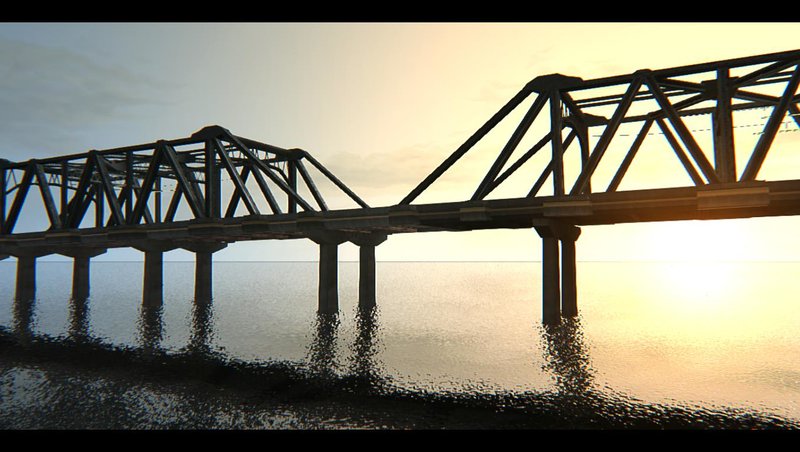
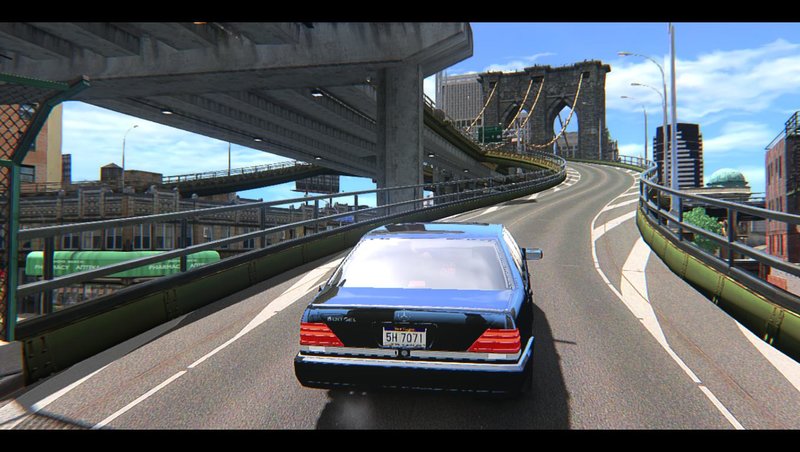
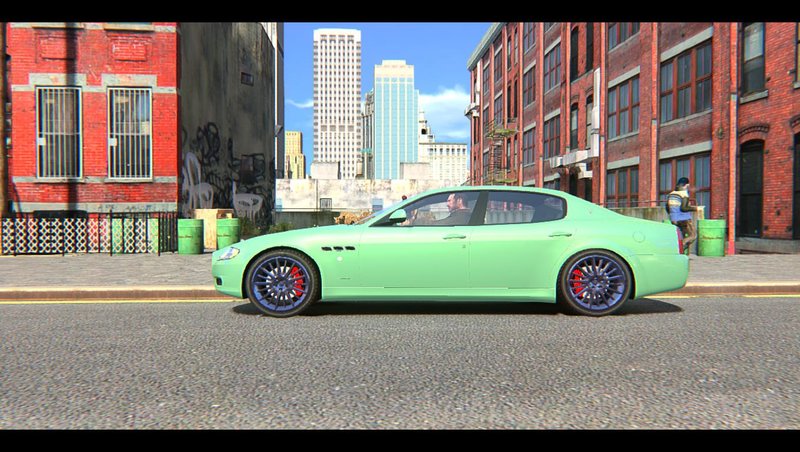
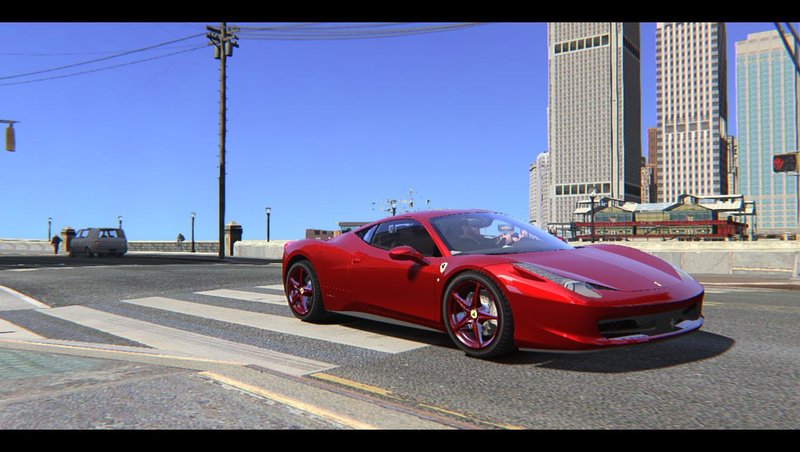
Excellent ENB Graphics v4 (1.0.8.0/RGL) Color correction
- AP84 | di-upload oleh Ap84
- 04/30/2021
- 70712 Jumlah download
Rating:
Login dulu, ya.
Favorit:
Download
76.36Mb
76.36Mb
Video

Kamu harus login untuk menambahkan video ke mod ini.
Deskripsi
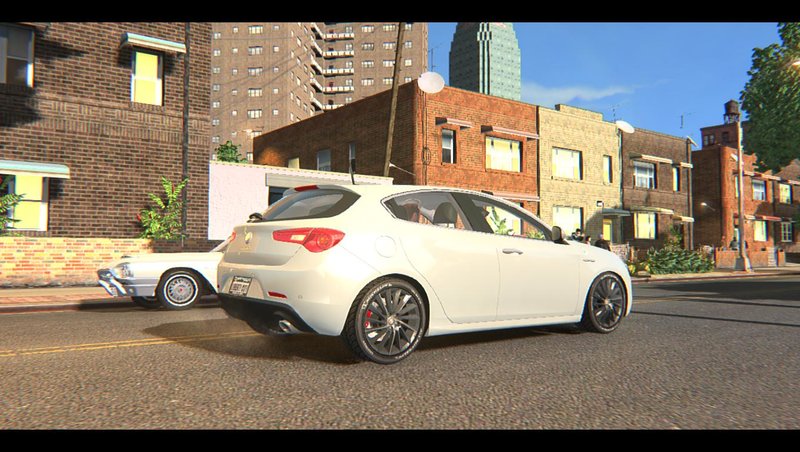
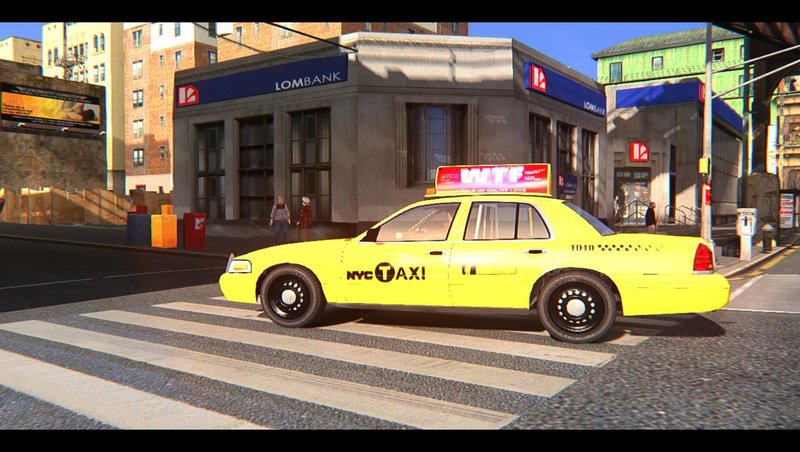
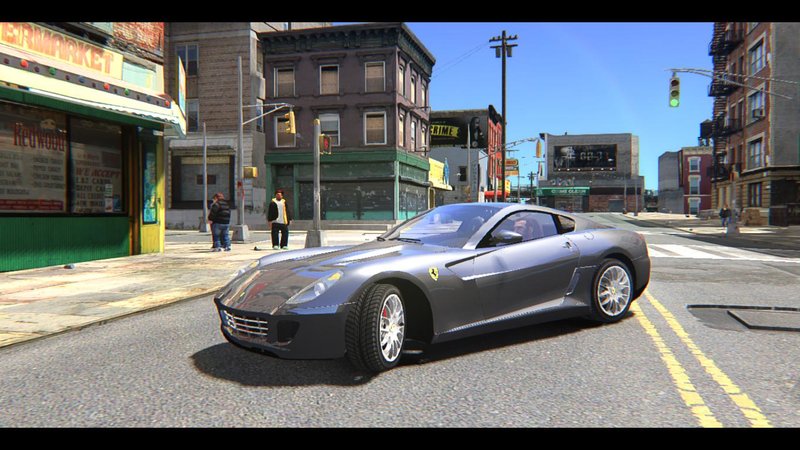
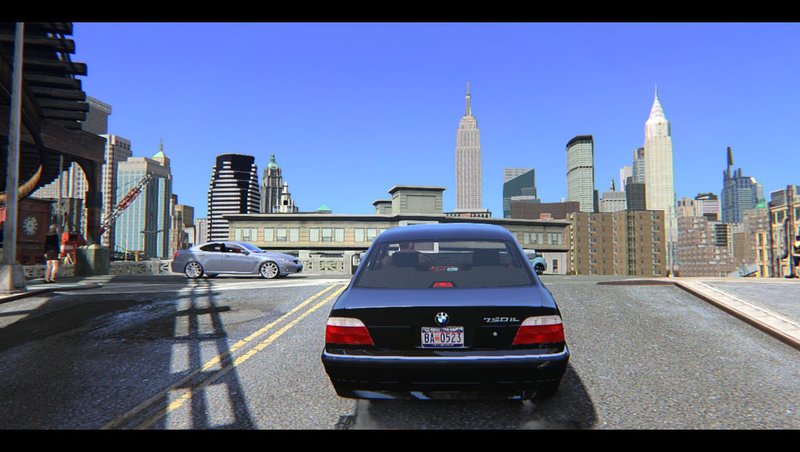
20.12.21 Small tweaks and Color correction update, fixed bug with shader
05.05.21 Added RGL support
fixed shadow bug for RGL version
tweaked tree settings
fixed car head light at night
added soft motion blur
a bit tweaked brightness and optional available more darker image
I worked on this almost for a month
this realease bright but adaptation balanced it looks more smooth than v.3
reworked shader
better ambient light effect
more natural colors
sharper image
changed settings for the sun
better clouds
changed bloom
timecyc tweaks
other small changes
cutscens not too bright
Compatibility: 1.0.3.0 - 1.0.8.0 - 1.2.0.43 Tested all versions
Made for Medium and Low pc The best performance patches 1.0.3.0/1.0.4.0
to install you should choose patch then drag all files into GTAIV folder where the game installed
If your monitor too bright so better reduce it a bit while playing
Credits:
AP84 (Timcyc and all settings, editing and changes of ENB)
ENBseries by Boris Vorontsov
Dax1 (Shaderfix for last patches)
DKT70 (Blueshift code, Bloom, Roads)
IceLaGlace (Bloom, Lens code)
gp65cj04 (Bloom)
Marty McFly (Letterbox)
05.05.21 Added RGL support
fixed shadow bug for RGL version
tweaked tree settings
fixed car head light at night
added soft motion blur
a bit tweaked brightness and optional available more darker image
I worked on this almost for a month
this realease bright but adaptation balanced it looks more smooth than v.3
reworked shader
better ambient light effect
more natural colors
sharper image
changed settings for the sun
better clouds
changed bloom
timecyc tweaks
other small changes
cutscens not too bright
Compatibility: 1.0.3.0 - 1.0.8.0 - 1.2.0.43 Tested all versions
Made for Medium and Low pc The best performance patches 1.0.3.0/1.0.4.0
to install you should choose patch then drag all files into GTAIV folder where the game installed
If your monitor too bright so better reduce it a bit while playing
Credits:
AP84 (Timcyc and all settings, editing and changes of ENB)
ENBseries by Boris Vorontsov
Dax1 (Shaderfix for last patches)
DKT70 (Blueshift code, Bloom, Roads)
IceLaGlace (Bloom, Lens code)
gp65cj04 (Bloom)
Marty McFly (Letterbox)
Komentar
Sudah ada 24 komentar.



05/13/2021 09:39
Hey, you did nice work but can you please fix these things:
Oversaturation, its too much bright
80s filter, I dont have any proper words to explain this but what I mean is except our character and cars everything has that green-pinkish filter/tone as a layer on it eg; Bulidings,Bridges,Taxis(specially),Peds Cars and many more.
Personally I loved ExcellentENB V3 and this one is good too but I request you to fix the issues, this mod is great I haven't seen any bug yet but if you can improve the points I mentioned it'll really help a lot.
Thank U
Kutip | Balas | (0)
Hey, you did nice work but can you please fix these things:
Oversaturation, its too much bright
80s filter, I dont have any proper words to explain this but what I mean is except our character and cars everything has that green-pinkish filter/tone as a layer on it eg; Bulidings,Bridges,Taxis(specially),Peds Cars and many more.
Personally I loved ExcellentENB V3 and this one is good too but I request you to fix the issues, this mod is great I haven't seen any bug yet but if you can improve the points I mentioned it'll really help a lot.
Thank U
Kutip | Balas | (0)
05/05/2021 11:50
@kamikami333 I recommend downgrading your game anyway. You won't lose anything except slow Rockstar Games Launcher. You will even able to win achiviements in Steam. Also you will able to play Multiplayer in two ways: GTA Connected and GFWL. I prefer GFWL and I am currently playing it.
Kutip | Balas | (0)
@kamikami333 I recommend downgrading your game anyway. You won't lose anything except slow Rockstar Games Launcher. You will even able to win achiviements in Steam. Also you will able to play Multiplayer in two ways: GTA Connected and GFWL. I prefer GFWL and I am currently playing it.
Kutip | Balas | (0)
04/30/2021 12:33
Kutip | Balas | (2)
in few hours after admin approval optional added more darker image and a bit tweaked brightness for main configQuote: Yilmaz04
Graphics are not bad. But little bright than real life. It can be more dark. .
At first screens from laptop so not 1080p and black lines is Letterbox (small blackbars) and I did everything aloneQuote: Yilmaz04
Also why screenshots are not fullscreen and there is black lines at bottom and top of screenshots? .
Kutip | Balas | (2)
04/30/2021 12:28
What about stop spamming people's mod pages with advertisements? Your wallpapers are good but you don't need to make advertisements of your wallpapers.
Kutip | Balas | (1)
Quote: hojayew
Please download my GTA IV Wallpapers
https://www.gtainside.com/en/gta4/other/163843-gta-iv-wallpapers/
What about stop spamming people's mod pages with advertisements? Your wallpapers are good but you don't need to make advertisements of your wallpapers.
Kutip | Balas | (1)
04/30/2021 11:44
Graphics are not bad. But little bright than real life. It can be more dark. Than it will be more realistic. Also why screenshots are not fullscreen and there is black lines at bottom and top of screenshots? Also never use real life cars, they look terrible in screenshots. Try GTA V sport cars.
I see you are working with known people. For example IceLaGlace, DKT70 or Dax1. Are you in RevIVe discord group? Maybe you can see me my name is Yilmaz04 in discord.
Kutip | Balas | (1)
Graphics are not bad. But little bright than real life. It can be more dark. Than it will be more realistic. Also why screenshots are not fullscreen and there is black lines at bottom and top of screenshots? Also never use real life cars, they look terrible in screenshots. Try GTA V sport cars.
I see you are working with known people. For example IceLaGlace, DKT70 or Dax1. Are you in RevIVe discord group? Maybe you can see me my name is Yilmaz04 in discord.
Kutip | Balas | (1)