GTA V / Mod / Grafis
Quentin's Realistic Awakening Reshade + Framework
- Quentin-Tarantino, LuciferHawk, Crosire, CeeJay.dk and Marty McFly | di-upload oleh Quentin-Tarantino
- sfx.thelazy.net/users/u/Que...
- 04/30/2015
- 10998 Jumlah download
Rating:
Login dulu, ya.
Favorit:
Download
23.07Mb
23.07Mb
Videos


Kamu harus login untuk menambahkan video ke mod ini.
Deskripsi
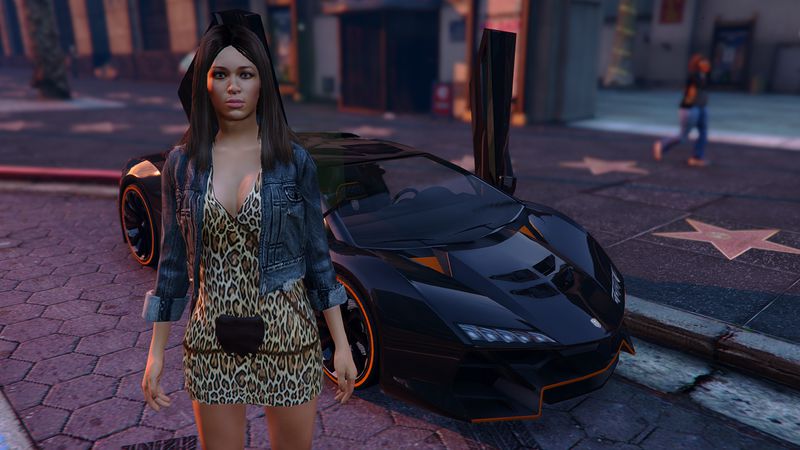
☣Quentin's ♣ Realistic ♣ Awakening☣
This Preset is updated with the latest Reshade + Framework so they is nearly No loss in FPS
This Mod is Deactivated on Game Start up as Default so there is no Lag at start up either :)
........................................
Easy Install:
Downloaded and Extract the Rar and Inside the Quentins Realistic Awakening Reshade Folder you get
Drop all the files and folders into your game Directory and the mod is then Installed :)
........................................
Just Press Scroll lock to active the Mod when you are in game ;)
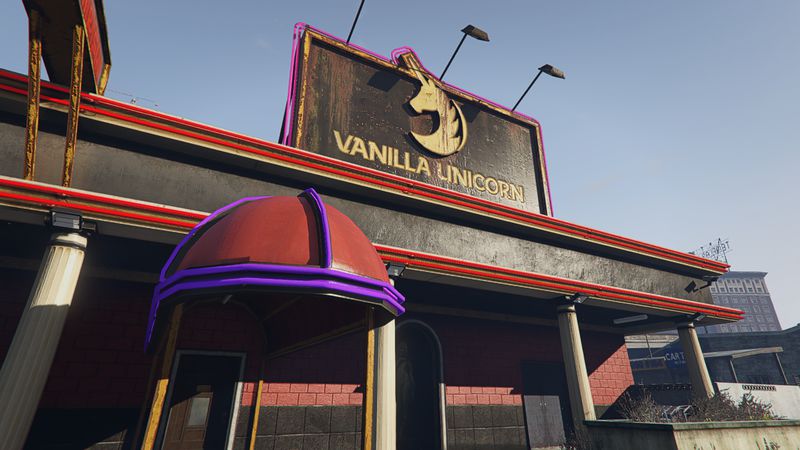
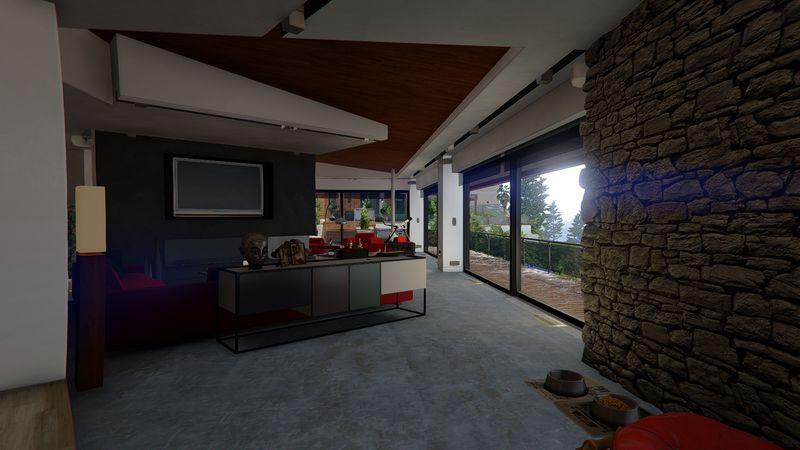
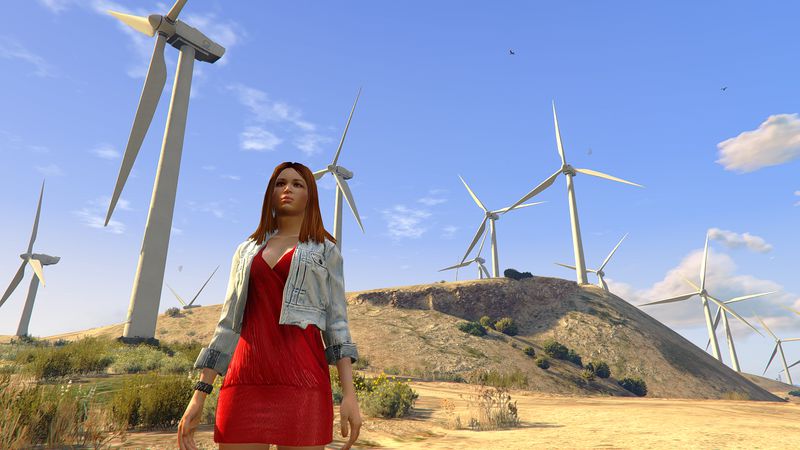
You can find Comparison Screen shots in my Preset Page in the link below :)
http://sfx.thelazy.net/games/preset/3450/
This Preset is updated with the latest Reshade + Framework so they is nearly No loss in FPS
This Mod is Deactivated on Game Start up as Default so there is no Lag at start up either :)
........................................
Easy Install:
Downloaded and Extract the Rar and Inside the Quentins Realistic Awakening Reshade Folder you get
Drop all the files and folders into your game Directory and the mod is then Installed :)
........................................
Just Press Scroll lock to active the Mod when you are in game ;)
You can find Comparison Screen shots in my Preset Page in the link below :)
http://sfx.thelazy.net/games/preset/3450/
Komentar
Sudah ada 30 komentar.




09/04/2015 20:40
I like how this mod looks on the pictures but it looks completely different when installed?
Very bright but also completely blurred, even the map is completely blurred, almost double vision..
Also FPS drops from 90 to 50 (1440p GTX980ti)
Changing gfx options like post processing ingame crashes
I am using the latest version, is it outdated or something or not supported anymore?
Kutip | Balas | (0)
I like how this mod looks on the pictures but it looks completely different when installed?
Very bright but also completely blurred, even the map is completely blurred, almost double vision..
Also FPS drops from 90 to 50 (1440p GTX980ti)
Changing gfx options like post processing ingame crashes
I am using the latest version, is it outdated or something or not supported anymore?
Kutip | Balas | (0)



05/01/2015 00:31
First time i heard of that! Post that problem in the forum in the link below
http://reshade.me/forum/index
Kutip | Balas | (0)
Quote: Arthur KingQuote: Quentin-TarantinoQuote: Arthur King
Idk what to do, i got the same errors on all reshade mods when i start game.
...failed with 'DXGI_ERROR_INVALID_CALL...
i have tried rename from d3d8 to dxgi and nothing
Help!
Is all your windows drivers etc up to date? That was a fix for others.
yes, but now i find solution. and its worked, but now i have new error.
Before loading screen the game crash with:
err mem embeddedalloc guard 5
and i dont know what now to do

First time i heard of that! Post that problem in the forum in the link below
http://reshade.me/forum/index
Kutip | Balas | (0)
04/30/2015 23:29
yes, but now i find solution. and its worked, but now i have new error.
Before loading screen the game crash with:
err mem embeddedalloc guard 5
and i dont know what now to do
Kutip | Balas | (0)
Quote: Quentin-TarantinoQuote: Arthur King
Idk what to do, i got the same errors on all reshade mods when i start game.
...failed with 'DXGI_ERROR_INVALID_CALL...
i have tried rename from d3d8 to dxgi and nothing
Help!
Is all your windows drivers etc up to date? That was a fix for others.
yes, but now i find solution. and its worked, but now i have new error.
Before loading screen the game crash with:
err mem embeddedalloc guard 5
and i dont know what now to do
Kutip | Balas | (0)
04/30/2015 23:17
Is all your windows drivers etc up to date? That was a fix for others.
Kutip | Balas | (0)
Quote: Arthur King
Idk what to do, i got the same errors on all reshade mods when i start game.
...failed with 'DXGI_ERROR_INVALID_CALL...
i have tried rename from d3d8 to dxgi and nothing
Help!
Is all your windows drivers etc up to date? That was a fix for others.
Kutip | Balas | (0)
04/30/2015 20:40
................................................................................
Here's the work around FIX for the logo screen lag at the start:
GO TO:
C:\Users\yourname\Documents\Rockstar Games\GTA V
and open the settings XML file with notepad and scroll down until you find: the Windowed value + VSync value
and change what ever your using to
<Windowed value="2" />
<VSync value="0" />
Then exit and save
This will put the game into window boarderless
Then open the game and when the logo screen starts to lag,
ALT + TAB to the desktop until the lag stops.
Once the game is loaded change the in-game VSync + window settings back to what ever you like........
Unfortunately those steps have to be repeated each time you open the game ATM! Sorry about this guys.
Reshade + Framework almost works perfectly with most games but it seems to not like the GTA V logo screen at the start for some unknown Reason at the moment :)
I want to put the guide in the description but i am not allowed at the moment!
BTW Scroll lock is the Key to Enable / Disable the Effect.........
Kutip | Balas | (0)
................................................................................
Here's the work around FIX for the logo screen lag at the start:
GO TO:
C:\Users\yourname\Documents\Rockstar Games\GTA V
and open the settings XML file with notepad and scroll down until you find: the Windowed value + VSync value
and change what ever your using to
<Windowed value="2" />
<VSync value="0" />
Then exit and save
This will put the game into window boarderless
Then open the game and when the logo screen starts to lag,
ALT + TAB to the desktop until the lag stops.
Once the game is loaded change the in-game VSync + window settings back to what ever you like........
Unfortunately those steps have to be repeated each time you open the game ATM! Sorry about this guys.
Reshade + Framework almost works perfectly with most games but it seems to not like the GTA V logo screen at the start for some unknown Reason at the moment :)
I want to put the guide in the description but i am not allowed at the moment!
BTW Scroll lock is the Key to Enable / Disable the Effect.........
Kutip | Balas | (0)